

Every Salesforce seasonal release brings a long list of updates, but the real value lies in knowing which changes deserve your team’s attention first. Salesforce Summer ’26 is no different. It introduces several platform improvements across admin setup, reporting, security, flow automation, LWC and Apex development.
This blog focuses on the key Summer ’26 updates across different domain areas, along with their timeline and readiness steps teams should keep in mind before the release reaches production.
Why this Salesforce Summer Release Matter?
Salesforce releases are not just feature announcements. The release matters because the updates touch areas that teams already work with every day:
New-org defaults can change the first setup experience.
Permission and field access updates can reduce access-related guesswork.
Reporting and dashboard changes can limit extra configuration work.
Flow updates can improve logic, scale, and deployment reliability.
Apex security changes can affect how custom code handles user access.
File scanning adds another layer of protection for uploaded content.
Salesforce Summer ’26 Timeline: Dates to Know
Salesforce releases happen in phases, and each date gives teams a different opportunity to explore, test, or prepare. For Summer ’26, Salesforce’s admin release countdown highlights the following key dates.
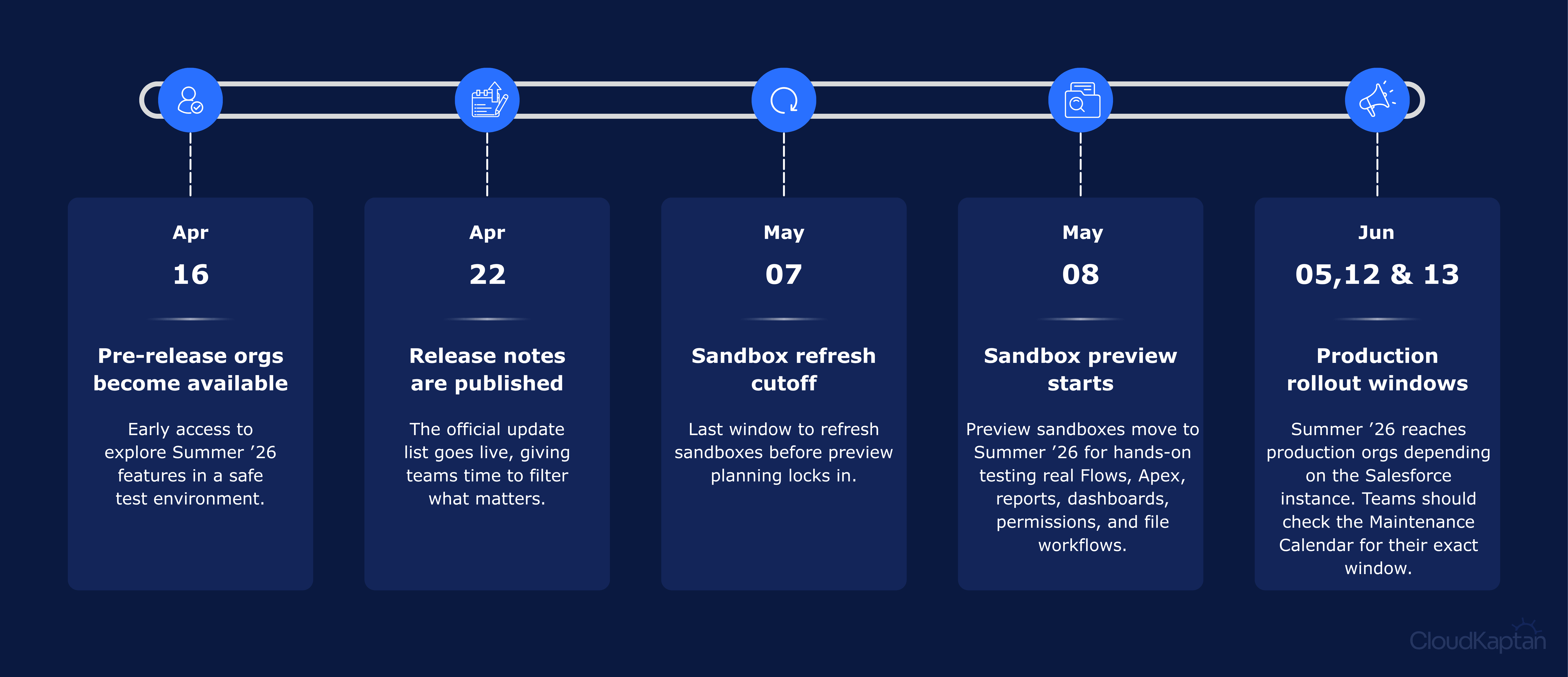
Breaking Down Summer ’26 Release Essentials
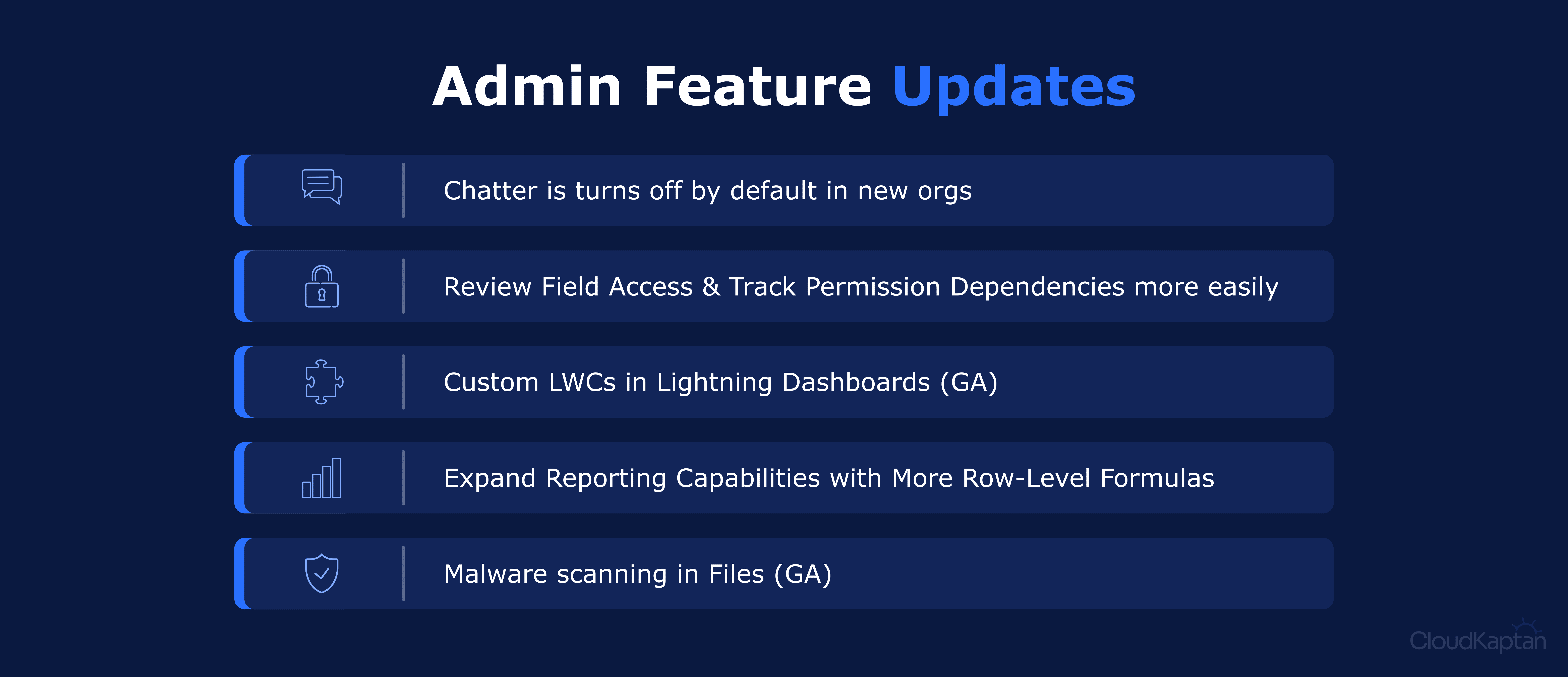
Admin Updates
Chatter is Turned Off by Default on New Orgs
New Salesforce orgs often need collaboration features like record feeds, Case Feed, groups, comments, or Chatter APIs during early setup.
Chatter is now turned off by default in new orgs, so admins must enable it manually when these collaboration features are required.
This makes Chatter a deliberate setup choice and helps teams avoid assuming collaboration features are available automatically in new implementations.
Review Field Access and Track Permission Dependencies More Easily
Permission changes can create confusion when admins cannot easily see why a user has access to a field or which related permissions are affected.
The enhanced profile experience now gives better visibility into dependent permission changes, helping admins understand what else needs to stay aligned.
This supports stronger governance by giving admins a clearer view of access impact before permission changes create user-facing issues.
Add Custom LWC in Lightning Dashboards (GA)
Standard dashboard components do not always cover every reporting need, especially when teams need custom visuals, interactive data views, or specialized business context.
Custom Lightning Web Components can now be added to Lightning dashboards to extend what users can see and interact with in one place.
This gives teams more flexibility to shape dashboards around real business questions instead of relying only on standard charts and widgets.
Expand Reporting Capabilities with More Row-Level Formulas
Reports previously supported only one row-level formula, which limited how many record-level calculations could be added directly inside a report.
Teams can now include up to two row-level formulas in a single report, such as commission rate and time-to-close calculations.
This reduces the need for extra object fields when the calculation is only needed for reporting, keeping the data model cleaner.
Malware Scanning in Files (GA)
Uploaded files can create risk when internal users, customers, or partners add documents to Salesforce.
Malware scanning checks Salesforce Files for viruses or malicious content during upload or download, with harmful files blocked or listed for review.
This supports stronger governance for file-heavy processes by giving teams better control over the content entering the org.
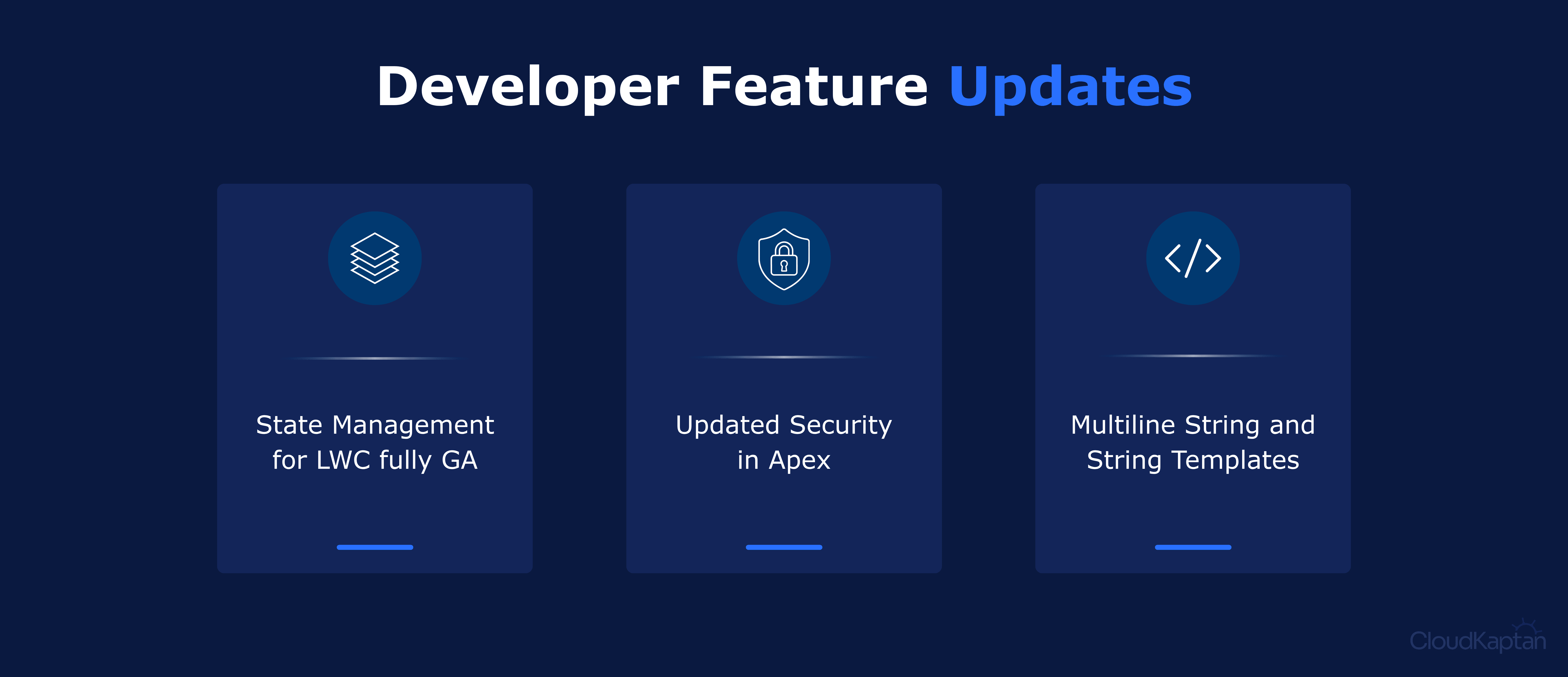
Developer Updates
State Management for LWC is Fully GA now
Lightning pages often include multiple components that need to work with the same data.
State Management gives Lightning Web Components a shared way to manage data changes instead of relying on repeated server calls or event-heavy communication.
This makes complex component experiences easier to maintain as pages, data relationships, and user interactions become more advanced.
Updated Security in Apex
Custom Apex can create security risk when code accesses data more broadly than the user should be allowed to see.
Updated Apex security behaviour puts more emphasis on user-mode operations, sharing rules, and explicit access handling.
This gives developers more predictable handling of access-sensitive logic, while making testing important before moving code to newer API versions.
Multiline Strings and String Templates
Long text in Apex, such as JSON payloads, email bodies, API messages, or prompts, has often required messy string concatenation.
Multiline strings and string templates make it easier to write structured text and insert values directly into the message.
This improves readability and gives developers more predictable handling when maintaining text-heavy logic across integrations, emails, and automation.
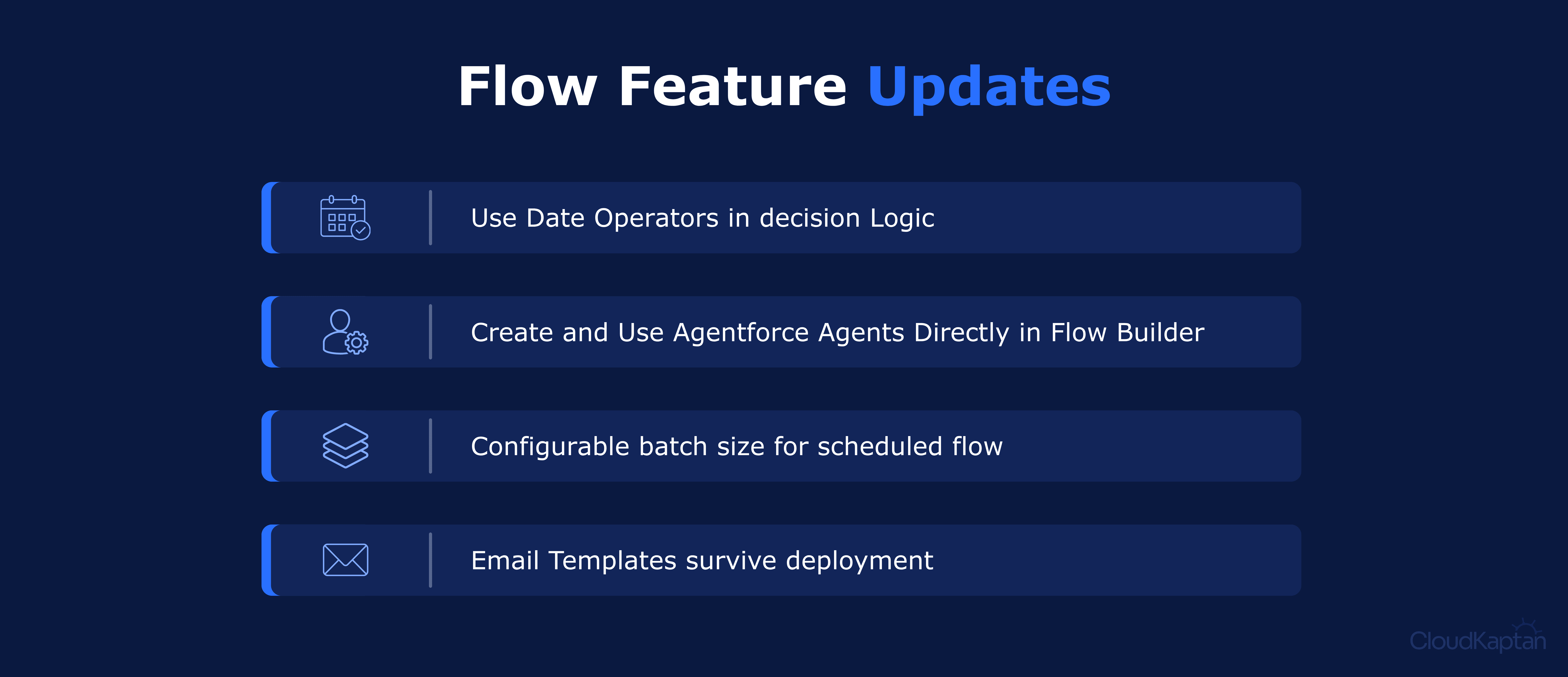
Flow Updates
Use Date Operators in Decision Logic
Flow builders often create automation based on dates, such as renewals, reminders, milestones, or follow-up tasks.
Date operators in Decision elements make it easier to branch logic using conditions like today, tomorrow, anniversary of today, or last number of days.
This keeps time-based automation easier to understand and supports stronger governance by reducing formula workarounds in common business processes.
Create and Use Agentforce Agents Directly in Flow Builder
Some automated processes need more than fixed rules, especially when a step requires context, instructions, or agent-driven action.
Flow Builder now supports creating and using Agentforce agents directly within the automation design experience.
This helps teams bring AI-supported actions into structured business processes while keeping the automation flow easier to review and govern.
Configurable Batch Size for Scheduled Flows
Scheduled Flows can run into performance issues when they process large record volumes or complex logic in one execution.
Configurable batch size lets builders control how many records are processed at a time, from 1 to 200.
This supports stronger governance over scheduled automation by giving teams better control over scale, limits, and runtime reliability.
Email Templates Survive Flow Deployment
Before this update, Flows using email templates could break after deployment because template IDs differed between sandbox and production.
With the supported Send Email action version, email template references are preserved more reliably across environments.
In practice, this supports stronger governance over deployments by reducing broken references and manual fixes after release.
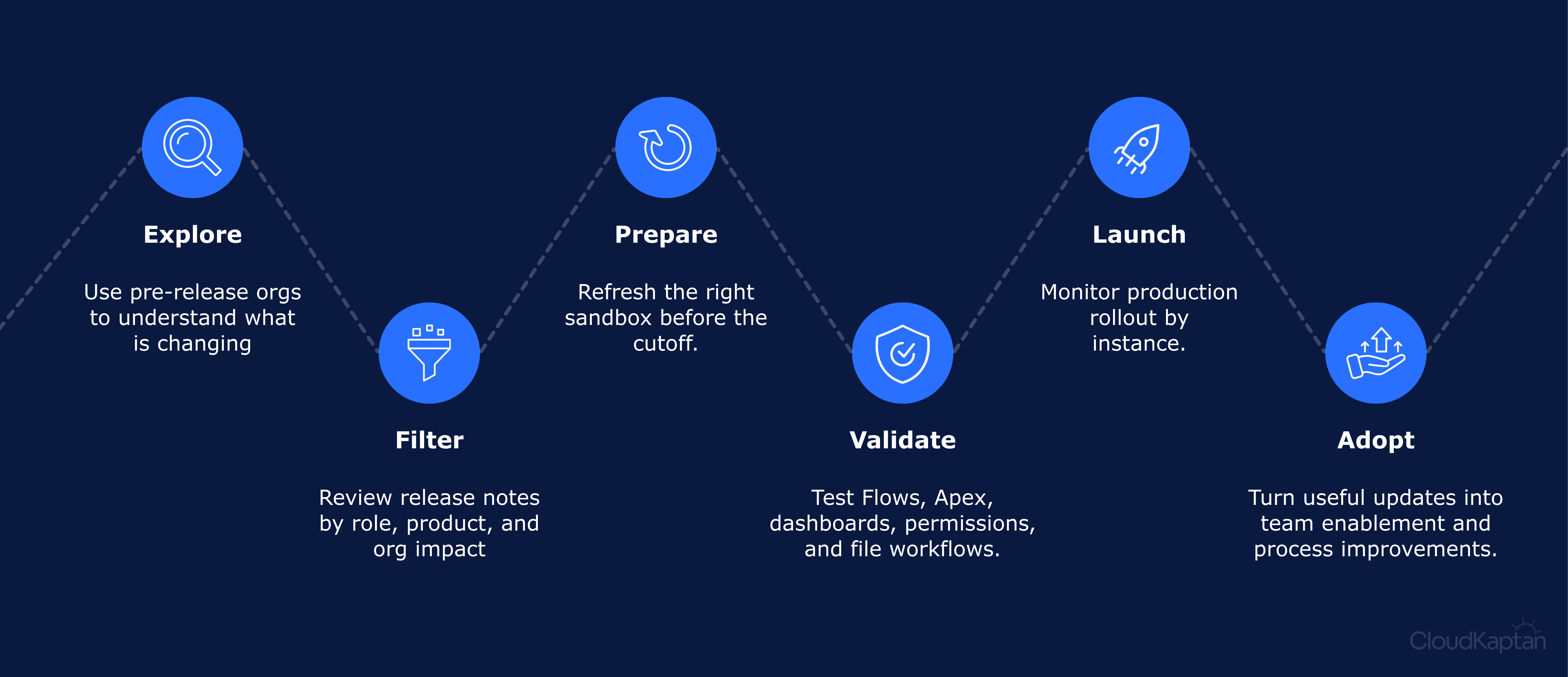
The Guided Roadmap from Preview to Production
A good release plan should start before production rollout. Apex Hours frames Salesforce release readiness as a phased process: explore early, review release notes, prepare sandbox, test during preview, validate production rollout, and use feature highlights for adoption planning.
These updates may sit under different areas, but they support the same larger goal. Admin updates strengthen visibility and governance. Developer updates improve code quality and security. Flow updates make automation easier to build, scale, and deploy. Together, they help teams maintain a Salesforce foundation that is easier to manage and safer to grow.
What Teams Should Do Before Summer’26 Hits Production
Before production rollout, teams should focus testing on the area’s most likely to affect access, automation, reporting, files, integrations, and custom code.
Confirm new-org setup assumptions, including Chatter and collaboration dependencies.
Review profiles, permission sets, field access, and permission dependency behaviour.
Validate reports using row-level formulas and dashboards using custom LWCs.
Test scheduled Flows with realistic record volumes and adjusted batch sizes.
Recheck date-based Decision logic for reminders, renewals, milestones, and routing.
Deploy and test Flows that use email templates across sandbox and production paths.
Review Apex classes, SOQL behaviour, sharing rules, and API version changes.
Test LWC-heavy pages where multiple components depend on shared state.
Document user-facing changes and monitor critical workflows after rollout.
Turning What’s New Into What Works
Salesforce Summer ’26 is not only about adding more features to the platform. Its value lies in understanding what each update changes, what needs testing, and where it can reduce manual effort or long-term complexity before it reaches production.
As a Salesforce Summit Partner, we help your team move from release awareness to practical adoption. Whether you need an impact assessment, architecture review, pilot design, go-to-production plan, or support validating critical processes, we can help turn Summer ’26 updates into improvements that fit your Salesforce stack and business goals.
